Children interact with technology every day. They open games, watch videos, and explore apps with ease. At some point, curiosity kicks in. A search for answers leads many families to the same crossroads. When is the right moment to begin coding for kids?
Age offers a reference point, though it rarely decides everything. Learning readiness shifts with attention span, reading comfort, resilience after mistakes, and the kind of feedback that keeps a child motivated. When those pieces align, coding for kids can begin earlier than most people assume.
Why Parents Ask About the Right Age for Coding for Kids
Coding looks intimidating from the outside. Parents picture long lines of text, complex symbols, and a child feeling lost. Kids’ picture games, robots, and instant results. Both pictures can be accurate, depending on the starting format.
The real tension behind the question is simpler. Nobody wants to push too early and create resistance. Nobody wants to wait too long and miss a window where curiosity is high. The best answer sits in the middle. Start when your child can enjoy a short build cycle, recover from mistakes, and try again without shutting down. If you find that setup, coding for kids stops feeling like a major decision and starts feeling like a normal skill, learned step by step.
Best Starting Age for Coding for Kids
A clear starting range for many children is between five and eight years old, because visual logic tools and unplugged activities fit well in that age band. Older beginners can also start strong, because motivation and independence can compensate for a late start.
Here is the real answer. A “right age” does not exist in isolation. The better question is “right entry point.” Entry points differ by readiness, support, and format. Some children thrive with block coding at seven. Some thrive with game-based puzzles at nine. Some need a slower on-ramp, even at ten, because reading load or attention makes text coding frustrating. If you keep entry points flexible, coding for kids becomes easier to start and easier to sustain.
Signs Your Child Is Ready for Coding for Kids
Follows multi-step directions without constant resets
Look for the ability to handle three to five steps in sequence. Cooking instructions, building a small toy, or assembling a simple craft can reveal this. Coding depends on sequencing, and sequencing depends on patience.
Handles small mistakes without quitting quickly
Coding includes errors on purpose. A character moves the wrong way. A button does nothing. A loop repeats forever. A child who can pause, listen to a hint, and try again is ready for real progress.
Enjoys patterns, sorting, and cause-effect games
You can spot readiness in daily play. Sorting cards by color, spotting patterns in tiles, building with blocks, or playing logic puzzles all map well to early programming for kids.
Uses basic reading comfortably, or prefers icon-first tools
Reading is not required for every starting point, yet it changes the tool choice. Children with strong reading skills can follow written prompts earlier. Children who are still building reading skills do better with icons, voice guidance, or short visual instructions.
Can explain a choice using simple language
Ask, “Why did you pick this?” If your child can describe a reason, even in simple words, they can learn debugging. Debugging begins with describing what happened versus what was expected.
Ages 5–7: Start With “Pre-Coding” and Visual Logic
At five, most children learn best through short rounds and visible feedback. Coding can fit here, yet it should look like play with structure. Think sequencing, patterns, and simple commands.
Unplugged activities work well. A child gives directions to a parent “robot” moving across the room. Another child makes a paper maze, then writes step-by-step moves to solve it. These activities teach the core habit behind coding for kids: instructions must be clear, ordered, and testable.
On screen, block coding and icon-based puzzles fit this band. The best tools use drag-and-drop pieces, instant animation, and a tiny problem per level. Keep sessions brief. Ten to fifteen minutes can be enough when feedback is immediate.
A useful home check is the “three tries” rule. If your child can attempt a level, fail, adjust, and attempt three times again without frustration taking over, the format is working.
Ages 8–10: Block Coding That Builds Real Fundamentals
This age often clicks because attention is steadier and problem-solving becomes more deliberate. Children begin to plan, test, and revise with less adult involvement. Block coding becomes powerful here, because it can introduce real programming concepts without drowning the learner in typing.
Concepts that fit well in this stage include loops, events, conditionals, and variables. The key is to introduce them through projects that feel like something worth building. A simple game with a score counter teaches variables. A character that repeats a dance teaches loops. A quiz with multiple endings teaches conditionals.
A strong project rhythm for coding for kids at this age looks like this. Build a small feature, run it, watch it break, fix it, then add one improvement. The improvement might be a sound effect, a timer, or a second level. Small upgrades keep momentum, and they teach iteration naturally.
Debugging also becomes more teachable here. Instead of “try again,” you can ask for a better prompt. “Which part controls the jump.” “What happens if you move this block earlier.” Those questions train thinking without hovering.
Ages 11–13: First Text Coding Without Overwhelm
Text coding introduces a new load. A child must type precisely, notice punctuation, and read error messages. Many children can handle this in middle school, yet the transition is smoother when text appears in short bursts with fast results.
The best early text experiences are short programs with immediate output. A small script that prints a story. A simple game loop that updates points. A graphics program that draws shapes. The child sees a result fast, and the brain connects typed code to visible change.
A practical shift happens here. In block coding, mistakes can be visual. In text coding, mistakes can hide in a missing character. This is where a child can learn a useful discipline: read the error, isolate the line, test one change, then run again. That loop is the heart of coding for kids when text enters the picture, , and it also creates a smoother entry into python coding for kids.
A tight focus helps children stay involved. Parents can introduce one concept during each session. Several ideas at once usually leave beginners unsure where to place their attention.
Ages 14+: Building Depth, Projects, and Ownership
Teenagers respond better when coding gives them room to make their own choices. They want to build something real, share it with friends, or fix a problem they actually care about. This stage works well for moving away from step-by-step lessons and toward structured projects.
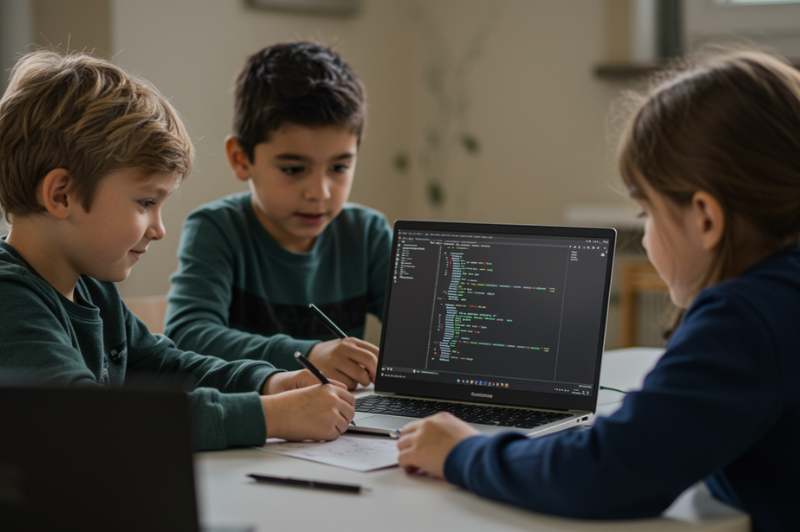
Projects can include websites, basic apps, data visualizations, game prototypes, or robotics builds. Planning becomes part of learning. Teens can map features, break work into tasks, and test in stages. Working together becomes important here. Kids may pair up with a friend, look over each other’s code, and explain the changes they made, which builds genuine collaboration skills.
At this stage, coding for kids becomes about ownership. The question shifts from “What should I learn” to “What should I build next.”
Picking the Right Starting Format
Unplugged logic for short attention spans
Unplugged activities suit children who need movement and frequent resets. They build sequencing and debugging skills without the pull of a screen. Maze routes, recipe instructions, and simple “robot directions” keep the task clear and engaging.
Block coding for fast feedback and concept building
Block-based tools remove the struggle of typing and help ideas appear visually. Beginners can test logic through trial, visual prompts, and quick results. This format usually keeps early motivation steady during the first months of coding for kids.
Text coding for older beginners or confident readers
Typed coding works best once a child can manage precision and read short directions without tiring. Choose tools that return results quickly. Long setup sequences usually drain interest before learning takes hold.
Game-based puzzles for kids who like levels
Puzzle coding uses levels, badges, and clear win conditions. It suits children who enjoy structure and incremental progress. The risk is a shallow understanding if the child rushes. Fix this by asking for a short explanation after a level.
Robotics and physical computing for hands-on learners
Some children light up when code moves a real object. Simple robotics tasks teach cause and effect in a powerful way. This format can make coding for kids feel tangible rather than abstract.
A Practical Starting Plan That Avoids Burnout
Pick one small track for four weeks
Choose a single theme, such as games, animation, or basic robotics. Switching tools weekly confuses beginners. A steady track builds confidence in coding for kids.
Keep sessions short and consistent
Two to four sessions per week work well for many families. Younger children often do best with ten to twenty minutes. Older children can go longer when projects are engaging whether they are learning at home or through online coding classes for kids.
Use a simple build loop each session
Start with one task, run it, fix one mistake, then add one small improvement. The improvement should be obvious, like changing speed, adding sound, or creating a new level.
Invite a short explanation after each build
After a session, ask for a short explanation. “What did you change after the bug.” “Why did the character stop moving.” Explanations reinforce understanding better than extra levels.
Finish while curiosity remains
Stop when your child still wants a little more. Ending with energy protects the next session. Burnout usually begins when the tool feels like homework rather than play with purpose.
Benefits of Coding for Kids
Teaches children how to think in sequence
Coding helps children arrange actions in the right order. They begin to understand why one misplaced step can change the entire result.
Gives problem-solving regular practice
A broken output gives a child something specific to fix. They make one change, then they repeat the process and see what happens.
Builds patience when errors appear
Coding puts children in front of errors often. Over time, they become accustomed to diagnosing the issue, making a minor adjustment, and then proceeding.
Turns ideas into visible results
Ideas stop feeling distant in coding. A child can make a character move, create a short scene, or build a simple game from scratch.
Helps children understand how screens work
Digital actions stop feeling random. Children begin to notice that movement, sound, and response all come from instructions.
Builds confidence through clear progress
A small fix can improve the result right away. Progress feels visible, and children begin trusting their own decisions more.
Conclusion: The Right Age is When the Setup Fits
The right time to begin coding for kids is when the format makes sense for the way your child learns today. Pay attention to whether they can follow a sequence, stay interested, and give something another try after a mistake. Begin with short sessions, clear wins, and feedback that comes quickly. Then let the level rise through projects they feel like completing. If a tool keeps getting in the way, switch the format before you lower the expectation. Coding builds through repetition, small wins, and the steady habit of working through bugs. Once those habits form, age becomes less important than consistency and the quality of practice.
If your child enjoys building projects and learning through guided feedback, BrightCHAMPS live, teacher-led classes can support coding for kids with structured coding tracks through an online course model, and families exploring beginner options may also come across free google coding classes before choosing a more guided path.
FAQs
Q1. Can children learn coding before they can type well?
Yes. Many beginners start with blocks, icons, patterns, and unplugged activities. Typing can come later, once the child understands the logic behind instructions.
Q2. What should a beginner learn first in coding?
The best starting points are sequence, repetition, simple choices, and fixing mistakes. These ideas give children a base they can build on later.Q3. How can parents tell if coding is working for their child?
Look for small signs. The child wants another turn, explains what changed, notices mistakes, and tries again without shutting down after a wrong result.PakarPBN
A Private Blog Network (PBN) is a collection of websites that are controlled by a single individual or organization and used primarily to build backlinks to a “money site” in order to influence its ranking in search engines such as Google. The core idea behind a PBN is based on the importance of backlinks in Google’s ranking algorithm. Since Google views backlinks as signals of authority and trust, some website owners attempt to artificially create these signals through a controlled network of sites. In a typical PBN setup, the owner acquires expired or aged domains that already have existing authority, backlinks, and history. These domains are rebuilt with new content and hosted separately, often using different IP addresses, hosting providers, themes, and ownership details to make them appear unrelated. Within the content published on these sites, links are strategically placed that point to the main website the owner wants to rank higher. By doing this, the owner attempts to pass link equity (also known as “link juice”) from the PBN sites to the target website. The purpose of a PBN is to give the impression that the target website is naturally earning links from multiple independent sources. If done effectively, this can temporarily improve keyword rankings, increase organic visibility, and drive more traffic from search results.
Jasa Backlink
Download Anime Batch