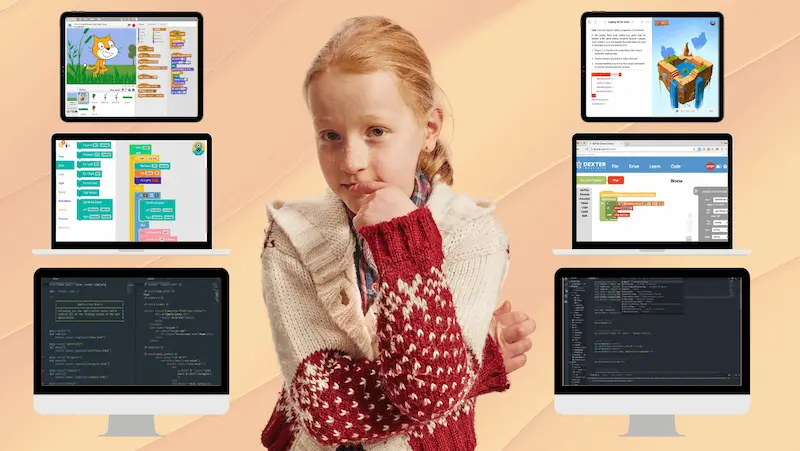
Kids’ coding languages are designed to help children begin without feeling confused. Many tools skip long, complex code and use blocks or short instructions that are easier to follow. Children can easily see what each step does, which helps them learn and reduces frustration.
With enough time spent honing their skills, they start building straightforward projects like basic games or simple animations. By experimenting with ideas, observing the results, and fixing problems, children learn to code. This hands-on method helps them understand how coding works in the real world.
What Are Kids’ Coding Languages?
The best programming languages for kids are simply the tools children use to tell a computer what to do. They are made easier than regular programming, so kids don’t get stuck on confusing rules at the start. Some let you move blocks on the screen, others use short lines of code, but both aim to show how instructions actually work.
A lot of kids begin on coding websites where they can try things out and see instant results. They tweak something, run it, and observe the outcome. That trial-and-error part is what helps them understand coding in a real way, not just as something they read.
Why Kids Should Learn Programming Languages
Learning coding languages for children beginners gives kids a way to understand how things work instead of just using them. They start to see patterns and cause and effect when they write down instructions and see what happens. It changes how they deal with problems, even when they’re not coding.
With kids coding languages, children get to make things they actually care about. It could be a small game or something simple that moves on screen. Seeing their own work come to life makes a big difference, and they usually want to keep going once they get that first result.
Mistakes are part of it. Something won’t run, or it behaves differently than expected. Kids go back, change a step, and try again. That habit of figuring things out slowly builds confidence over time.
Types of Kids Coding Languages
Kids learn to write code in different ways depending on how they grasp and engage with new concepts. Some people like to use visual tools, while others are ready to read and write simple code right away. There are many different types of coding languages that can help you match your child’s learning style and pace. A lot of platforms and live classes for kids use a mix of these methods to help kids learn without getting confused.
Block-Based Coding Languages for Kids
For beginners, block-based coding is often their first step. Kids don’t type; they move blocks around on the screen to make instructions. Arranging the blocks together forms a working program, where each block stands for an action. This takes away the need to remember syntax and lets kids focus on how things work.
Text-Based Programming Languages for Kids
Writing actual lines of code is what text-based coding is all about. Kids learn to connect different instructions and write programs using simple commands. It might take more practice, but it gives them more control and gets them ready for programming in the real world.
Visual & Game-Based Coding Languages
Visual and game-based coding makes learning fun because kids learn about logic, loops, and conditions by making games, solving problems, and controlling characters.
Popular Kids Coding Languages
There are many kids’ coding languages available, each suited to a different stage of learning. Some are easier to start with because they use pictures, while others need you to write code. What works best for a child usually depends on how they like to learn and what they want to make. These are often seen as kid-friendly coding languages because they remove unnecessary difficulty at the start.
Scratch – Visual Programming for Beginners
Scratch is usually one of the first tools kids use when they start learning to code. They don’t type; they move blocks and connect them to make things happen on the screen. It’s easier to understand what’s going on because each block only does one thing.
While learning how different steps work together, kids can make simple games, animations, or stories. They can quickly change things that don’t work and try again, which makes learning less frustrating and easier to stick with.
Blockly – Easy Drag-and-Drop Coding
Blockly will be easy to use for a child who has used Scratch before. It also uses blocks, but it shows how they work with real code. Kids can switch between the block view and the written version, helping them see how the two relate.
This makes it easier for them to begin writing code on their own later. It makes things less confusing and shows them that both methods have the same structure, just in different ways.
Python – Beginner Text-Based Language
A lot of people start writing real code with Python. Kids can understand what’s going on without too much trouble because the lines are easier to read than in other languages. They can quickly see the results of small programs they write.
Since everything needs to be typed correctly in the beginning, mistakes are more common. Over time, they begin to understand how each line works and solve problems on their own.
JavaScript – Interactive Web Coding
People use JavaScript to make things happen on the internet. Kids may alter how a page works, such as making things move or react as you click on them. This helps connect programming to what they experience on the web.
It also helps them see how code connects to what users do. That link makes learning more practical rather than just theoretical.
Lua – Fun Coding for Games
Kids who already love games, specifically on platforms like Roblox, like Lua. They can change how some parts of a game work or add new things to it. This makes coding feel less like schoolwork and more like building something fun.
They start to get a feel for how game logic works as they try out their own ideas. That keeps them interested for longer.
Swift Playgrounds – Apple-Based Coding
Swift Playgrounds teaches coding by giving you small problems to solve and tasks to do. Kids learn how to follow instructions by solving problems one step at a time. It teaches coding in a way that is both structured and easy to understand.
As they learn more, they also get a basic idea of how to make apps for Apple devices. This is a good place for kids who want to learn how to make apps to start.
How to Choose the Best Coding Language for Your Child
Choosing between kids’ coding languages becomes easier when you look at how your child reacts while learning. Some children lose interest if they have to type too much too early, while others get bored with only dragging blocks. Watching how they respond in the first few sessions gives a clearer answer than age alone.
The best programming languages for kids also depend on what they enjoy doing in their free time. A child who enjoys games may stay interested in tools related to making games, while someone who is interested in websites may do better with basic web coding. Interest usually determines how long they stay with it.
It also helps to see how they handle structured learning. Some children do better with guided lessons and step-by-step projects, which is where coding programs for kids can make a difference. The right setup should keep them trying, not waiting for help every few minutes.
Resources to Learn Kids Coding Languages
There isn’t one fixed way to start with kids’ coding languages. Certain children learn faster when they are capable of doing things on their own, while others need someone to show them how to do each step. That’s why there are websites, apps, and classes that all work in different ways, depending on how a child likes to learn.
A lot of platforms are built as kid-friendly coding languages, so the layout is simple and nothing feels too technical at the start. Children work on small tasks rather than lengthy lessons, helping them maintain focus. Seeing instant results keeps them interested.
When children are ready for more structure, they can move to guided options that focus on programming languages for kids. These usually include regular sessions, practice work, and small projects. The idea is to keep them doing something each time instead of just watching or reading.
FAQs
Which coding language is best for young beginners?
Scratch or Blockly are good choices for beginners. Kids don’t have to type, and they can see clearly what each step does.
At what age should kids start learning coding languages?
Most kids can start around five or six. At that stage, simple visual tools make more sense than writing full lines of code.
Are kids coding languages free to use?
Some tools are free to try, especially basic ones. But if you want guided learning or regular classes, there is usually a cost.
PakarPBN
A Private Blog Network (PBN) is a collection of websites that are controlled by a single individual or organization and used primarily to build backlinks to a “money site” in order to influence its ranking in search engines such as Google. The core idea behind a PBN is based on the importance of backlinks in Google’s ranking algorithm. Since Google views backlinks as signals of authority and trust, some website owners attempt to artificially create these signals through a controlled network of sites. In a typical PBN setup, the owner acquires expired or aged domains that already have existing authority, backlinks, and history. These domains are rebuilt with new content and hosted separately, often using different IP addresses, hosting providers, themes, and ownership details to make them appear unrelated. Within the content published on these sites, links are strategically placed that point to the main website the owner wants to rank higher. By doing this, the owner attempts to pass link equity (also known as “link juice”) from the PBN sites to the target website. The purpose of a PBN is to give the impression that the target website is naturally earning links from multiple independent sources. If done effectively, this can temporarily improve keyword rankings, increase organic visibility, and drive more traffic from search results.
Jasa Backlink
Download Anime Batch