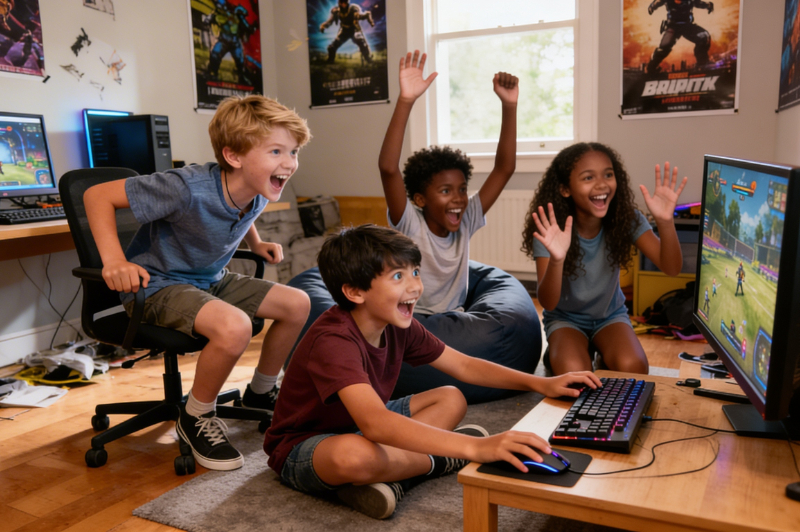
Mouse practice games reveal a child’s real computer readiness much faster than casual screen use ever can. Many children appear comfortable with devices, yet struggle when a task demands accurate clicking, controlled dragging, steady scrolling, or quick key recognition on a keyboard. That gap usually becomes visible during school assignments, online reading platforms, beginner research tasks, and early coding activities, such as Python coding for kids. The issue is rarely a lack of understanding. The real difficulty usually lies in execution under screen-based demands. A child may know exactly what to do, yet still lose time trying to place the cursor correctly, move an object into position, or locate the right key without hesitation. Strong practice works best when each action is trained separately first and then combined in a gradual, manageable way. That is why carefully chosen games matter. They help children build control, reduce hesitation, and develop computer confidence that supports real classroom use.
Why Kids Need Mouse Practice Before Advanced Computer Tasks
Mouse control is a learned skill, not an automatic one
Mouse use looks easy, though it asks the hand to do several different jobs. Clicking needs target control. Dragging needs steady pressure across a distance. Dropping depends on timing. Scrolling asks for a lighter motion again. A child may manage one action, then lose control during the next. Early mouse games work best when they isolate the skill instead of mixing every demand at once. A child who keeps missing icons needs target practice. A child who can click but cannot move an object into place needs drag-and-drop work.
Keyboard familiarity starts with recognition before speed
Keyboard confidence begins before typing speed matters. Children need to know where letters are and reach them without scanning every row. Early keyboard games help by asking for single letters, short responses, and clear prompts. A child who still searches for every key does not need timed word races yet. That child needs repetition around letter location, shape recognition, and finger movement across the board.
Early coordination affects how confidently children use a computer
Arrow-key navigation and hand-eye coordination become important once tasks move beyond static clicking. Many school activities ask children to move through choices, control objects, switch between inputs, or react within a short window. Those tasks feel more manageable when mouse practice and keyboard familiarity are already in place.
Best Mouse Practice Games for Kids Who Are Just Starting
Games for clicking accuracy
At the beginner stage, free games work well when they keep the screen uncluttered and focus on one clear action at a time. The child sees a large object, moves the cursor, and clicks once. That short loop gives useful feedback. Did the cursor land where expected? Did the click happen at the right moment? Practice mouse games built around balloons, shapes, animals, or simple targets work well because the screen is easy to read and the action has one purpose. Children who are new to computer mouse games benefit from short rounds where they can correct a miss quickly. Accuracy should come before pace.
Games for drag-and-drop control
Dragging brings a different physical demand. The child has to press, hold, move, and release without losing the object halfway through the path. Drag-and-drop activities help because they slow the action down and make the objective visible. Matching games, object-sorting games, path-making tasks, and puzzle boards all support this stage. Strong mouse practice games ask the child to move pieces across different distances, not just tiny gaps. School platforms may require longer drags across a page, a menu, or a worksheet area.
Games for double-click and scroll practice
Double-clicking feels awkward for many beginners because it requires the same target, the same hand position, and the right pace twice in a row. Scroll practice creates another issue. The child has to move through a page without jumping past the needed line or losing place. Both actions appear early in everyday computer use, yet many families do not practice them directly. Useful mouse games for this stage keep the screen uncluttered and the response immediate.
Best Keyboard Games That Follow Mouse Practice Naturally
Games for letter-key recognition
Letter-key games should feel visible and forgiving. The child sees a letter, finds it, and presses it. Then the cycle repeats enough times for the layout to feel familiar. This stage is not about formal typing posture or word speed. It is about reducing search time and building comfort across the keyboard. The strongest activities use single letters, a clean screen, and obvious prompts because children can focus on recognition instead of guessing the next demand.
Games for arrow-key control
Arrow keys deserve their own learning stage because they sit away from the letter area and control movement rather than text entry. Games built around moving up, down, left, and right help children understand that the keyboard can control position on screen, not just produce letters. Maze paths, movement trails, obstacle games, and direction challenges fit this stage well. Good computer mouse games are not enough here because the child needs directional input from the keyboard itself.
Games for word and typing accuracy
After letter recognition feels steadier, children can move into short-word and basic typing games. The best activities reward correct entry and readable rhythm rather than raw speed. Word matching, sentence completion, and simple timed prompts can work well if the text remains manageable. A child who still freezes after one missed key is not ready for heavy score pressure. Early typing practice should support control under mild challenges.
Best Mouse Games for Stronger Mouse and Keyboard Control
Games that combine movement and action keys
Combined-control games raise the difficulty in a useful way. The child now has to move, respond, and complete another action during the same round. That may involve steering with keys and pressing a separate key to act, or switching between a mouse action and a keyboard response. Advanced computer tasks rarely rely on one isolated input. Children may need to select, move, confirm, and continue within a short sequence.
Games that improve timing and reaction
Timing adds pressure without needing long text or complicated rules. A child has to notice the cue, respond quickly, and still stay accurate. Reaction-based games work well once single-input control looks stable. Before that point, the extra pace can create frustration instead of progress. Good mouse games and keyboard coordination games in this stage use repeated patterns so the child can anticipate the next action and improve through familiarity.
Games for children ready for more than one input at once
Children are usually ready for this stage when three signs appear. First, clicks land with fewer misses. Second, familiar keys no longer require long scanning. Third, mistakes do not stop the child completely. Practice mouse games have done part of their job by then, and mixed-input play becomes the next useful step.
How to choose the right computer mouse game based on your child’s skill level
Beginners who still miss icons and buttons
Start with large-target activities and very short rounds. A child at this stage needs visible success fast. Parents should look for games for kids that match the child’s actual control level rather than choosing something fast-paced too early. Mouse practice should feel controlled, not rushed.
Children who know letters but search for keys slowly
This stage calls for key-recognition games and arrow-key movement before full typing challenges. The child knows the alphabet, though the keyboard layout still feels unfamiliar. Practice should stay focused on locating keys and using them with less hesitation. Mouse games can remain in rotation, though keyboard familiarity needs the main attention now.
Children ready for faster reactions and multi-step control
Move into mixed-input games when basic actions no longer look effortful. A child who can click accurately, drag with control, and find common keys without long pauses is ready for a stronger challenge. Good computer mouse games at this level should ask for timing, action switching, or short bursts of typed response without turning every round into pressure.
How to Use Mouse Practice at Home Without Overwhelming Your Child
Keep sessions brief and easy to repeat
Short practice blocks work better than long ones. Ten or twelve focused minutes can be enough for early mouse practice if the child stays engaged and finishes with energy still intact.
Repeat the same game before introducing a new one
Repetition helps the hand learn the action. Constant switching makes children decode a fresh layout before the skill itself settles. Keep one or two practice mouse games in place until control becomes more natural.
Look for visible progress, not long screen time
Watch for better cursor placement, fewer missed clicks, steadier dragging, quicker letter finding, and smoother key use during regular computer tasks. Those signs show real growth far better than minutes logged.
Conclusion
Children do not need a huge library of games to build stronger computer control. They need the right game at the right stage. Mouse practice begins with clicking, dragging, dropping, scrolling, and double-clicking because those actions shape almost every early computer task. Keyboard progress begins with recognition, then moves into direction keys and short-word accuracy. After those pieces settle, combined-control games help children manage timing, movement, and action switching with less strain. A well-matched set of mouse practice games, mouse games, and keyboard activities can make school-based computer work feel less intimidating and more manageable.
If your child is ready to move from basic computer control into guided digital learning, BrightCHAMPS offers structured support that can help turn early confidence into stronger long-term technology skills.
FAQs
Q1. What age is right for mouse practice at home?
Mouse practice can begin when a child can follow short visual directions and stay engaged for a few focused minutes. Readiness matters more than age because hand control develops differently.
Q2. Should children learn keyboard skills before typing words?
Children usually benefit from letter recognition and arrow-key familiarity before word typing. That order reduces frustration and helps the keyboard feel understandable before longer responses begin demanding speed during practice.Q3. How many games should parents use at once?
One or two well-matched games are enough at the start. A small rotation gives children repetition, clearer progress, and less confusion than a large pile of activities at home daily.Q4. What progress should parents watch for first?
Parents should watch for steadier cursor movement, fewer missed targets, smoother dragging, quicker key location, and less hesitation during ordinary school-related computer tasks completed at home weekly for children.PakarPBN
A Private Blog Network (PBN) is a collection of websites that are controlled by a single individual or organization and used primarily to build backlinks to a “money site” in order to influence its ranking in search engines such as Google. The core idea behind a PBN is based on the importance of backlinks in Google’s ranking algorithm. Since Google views backlinks as signals of authority and trust, some website owners attempt to artificially create these signals through a controlled network of sites. In a typical PBN setup, the owner acquires expired or aged domains that already have existing authority, backlinks, and history. These domains are rebuilt with new content and hosted separately, often using different IP addresses, hosting providers, themes, and ownership details to make them appear unrelated. Within the content published on these sites, links are strategically placed that point to the main website the owner wants to rank higher. By doing this, the owner attempts to pass link equity (also known as “link juice”) from the PBN sites to the target website. The purpose of a PBN is to give the impression that the target website is naturally earning links from multiple independent sources. If done effectively, this can temporarily improve keyword rankings, increase organic visibility, and drive more traffic from search results.
Jasa Backlink
Download Anime Batch


