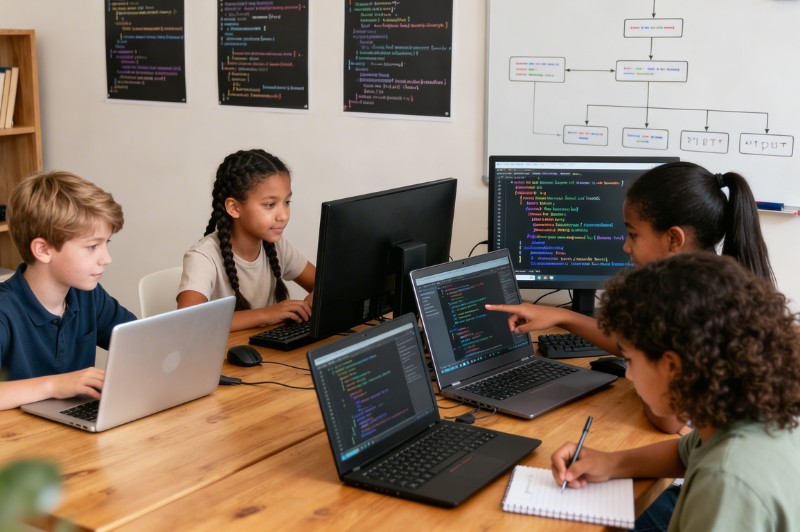
Choosing among kids coding languages can feel harder than the child’s first lesson. Parents usually hear familiar names such as Scratch, Python, JavaScript, and Java, yet the right starting point depends on fit rather than reputation. The first step in programming for kids is rarely choosing the language that sounds most advanced. It is choosing the one that fits how the child reads, thinks, persists, and builds. A child who enjoys visual play may respond well to blocks and animation. Another child may want typed code quickly and feel comfortable reading instructions line by line. The first choice affects confidence early because each language introduces coding ideas through a different doorway. Scratch uses drag-and-drop blocks that remove punctuation errors and let beginners work with sequences, loops, conditionals, and debugging in a visual way. Python presents real text-based code with readable syntax and broad project range. JavaScript connects strongly with web interactivity, and Java brings a more structured object-oriented path.
This blog sorts the decision the way a parent actually needs it sorted. Instead of chasing the language that sounds advanced, it helps you look at readiness, attention, project interest, and the kind of learning format your child can handle productively.
What are Kids Coding Languages?
A first coding language can either reduce friction or create it
A child’s first coding language shapes the kind of struggle they face in the opening stage. Block-based coding removes pressure around spelling, punctuation, and bracket placement, which gives beginners more room to focus on sequencing, loops, conditions, and debugging. A child usually settles into coding better when idea testing comes first and syntax problems do not keep breaking the flow. Text-based languages introduce exact typing much sooner, and that can slow progress for a child who is still learning how code is structured. The best early choice keeps attention on logic and cause-and-effect instead of repeated correction.
Different language types teach different entry points into coding
Each format brings a child into coding from a different angle. Visual coding builds understanding through blocks, movement, and logic that can be seen directly on the screen. Web languages split the work into separate parts, with one layer for structure, another for design, and another for interaction. General-purpose languages take children into wider programming work that usually involves stronger logic and more independent problem-solving. This difference is worth paying attention to when parents compare kids’ coding languages and try to choose a starting point that actually fits.
The right first step depends on the child in front of you
A younger child may respond better to blocks and visual cues. Another child may handle typed rules earlier. The better decision usually comes from readiness, patience, and project interest.
What to Check Before Picking from Today’s Kids’ Coding Languages
Age and reading comfort
Age can guide the decision, though reading comfort usually tells parents more. A child who is still building fluency may find visual coding easier because the instructions appear as labeled blocks that connect clearly on screen. This format helps beginners work with order, repetition, and conditions without typing every command. Text-based coding asks for stronger reading stamina, symbol recognition, and patience with error messages. Visual tools usually give early learners a steadier way to begin.
Tolerance for mistakes and debugging
Children respond to errors in very different ways. Some enjoy working through a mistake until the output changes. Others lose confidence after a few failed tries. Debugging is part of every coding path, which is why a child’s response to mistakes needs attention early. When parents compare kid-friendly programming languages, they need to think about how much correction their child can handle without shutting down. Visual coding softens this stage because the structure is easier to read, while typed languages ask children to deal with broken commands more directly.
What your child wants to make
The project itself can narrow the language choice quickly. A child interested in stories, animation, or beginner games may respond well to visual coding first. A child who wants to understand websites may need a path built around page structure, design, and interaction. Broader programming projects can point toward text-based languages later.
Which learning format keeps effort sustainable
Some children stay engaged when they can drag, drop, and see movement immediately. Others enjoy typing commands and waiting for the result. Parents usually get a stronger result when the format fits how the child learns and stays engaged.
Best Kids’ Coding Languages for Absolute Beginners
Scratch and visual coding tools for first-time learners
Scratch is usually the most comfortable place for a beginner to start. The child works with drag-and-drop blocks instead of typing every instruction from scratch. That changes the feel of early learning. Sequences, loops, conditions, and event-based actions become easier to grasp because attention stays on what the code does on screen.
Why block-based coding works at the beginning
Block coding gives beginners a cleaner entry into programming logic. The child still works with real coding ideas, though the screen removes much of the punctuation trouble that can slow early lessons down. That leaves more room for pattern building, error correction, and cause-and-effect thinking. Within kids’ coding languages, this format helps a beginner spend more time understanding logic and less time fixing avoidable syntax slips.
Which children usually fit this starting point well
This starting point suits young learners, careful beginners, visual thinkers, and children who enjoy making stories, games, or animations. It also suits children who lose patience when text-heavy instructions begin piling up too quickly.
Best Kids’ Coding Languages After Block-based Learning
Python for children ready for readable text-based code
Python is usually the easiest typed next step after visual coding. The syntax is cleaner, the commands read more naturally, and the child can focus on logic without getting buried under punctuation. That change matters when block coding has already taught sequencing, loops, and conditions. Python also gives children room to try different kinds of work, from small scripts and beginner games to simple automation and later project work. A child who has not settled on one interest yet can still keep moving forward with it. Children who are ready for readable text-based programming often move naturally into python coding for kids after block-based learning feels familiar.
JavaScript for children interested in websites and interactivity
JavaScript fits children who want the screen to respond. It is a practical option when a child asks how buttons work, how pages change after a click, or how browser games behave. Within kids coding languages, this is the path that makes the most sense for web-based curiosity. It usually works better after the child understands basic HTML and CSS, because page structure and styling need to feel familiar before interaction starts making sense.
Java for children ready for more structure and longer-form programming
Java suits children who are comfortable with rules, structure, and slower build-up. It asks for more discipline, though it rewards children who enjoy larger systems and stronger programming structure.
How Project Interest Helps Narrow Down Kids’ Coding Languages
For games, stories, and animation
When a child keeps leaning toward stories, animated scenes, or small games, visual coding is usually the cleaner first move. Scratch fits that interest well because it was built for interactive stories, games, and animation. Later on, Python or JavaScript can make more sense once the child wants typed logic, closer control, or browser-based interaction.
For websites and interactive pages
The website’s interest points in a different direction from the start. HTML handles the content on a page. CSS controls layout, spacing, and visual design. JavaScript handles the parts that react after a click, input, or action. That order helps a child understand what each layer does before everything starts blending together.
For apps, logic-heavy builds, and broader coding depth
Some children are drawn to scripts, apps, or coding work that feels more technical and systems-based. In that case, Python or Java tends to make more sense. Python is easier to read and works across many project types. Java suits children who are comfortable with stricter structure, longer build-up, and formal programming rules.
How to Tell Your Child is Ready to Move to a New Coding Language
They finish projects with less step-by-step dependence
A child starts looking ready for the next step when exact copying stops driving every project. They begin changing scenes, refining loops, or building new parts with less guidance. That kind of independence usually shows the current tool feels comfortable enough to use with confidence.
They can fix small errors without shutting down
A child who reviews the logic, changes a condition, or corrects a sequence without giving up is showing stronger coding maturity. Within kids’ coding languages, that shift matters because typed code brings errors into clearer view.
They want more control than their current language allows
Some children reach this point naturally. They begin wanting more detailed game actions, stronger interactivity, or typed commands that give them broader control over what they can build.
Mistakes Parents Make When Picking Kids’ Coding Languages
Choosing by trend instead of readiness
A famous language can still be the wrong first fit. Parents sometimes choose the language they hear adults use most often, even when their child still needs visual support. Trend-driven choices can create early friction that has little to do with coding ability.
Moving into typed code before logic feels secure
Text-based code adds a new layer of demand. The child must think about logic and syntax together. If loops, conditions, and sequencing still feel shaky, typed code can turn every lesson into correction work. Visual tools give children room to strengthen logic first.
Assuming block coding is less real than text coding
This mistake causes a lot of unnecessary rushing. Scratch’s own learning material ties block coding to computational thinking, debugging, and iteration. Those are real programming habits. A strong block-based start can prepare a child for Python, JavaScript, or Java far better than a premature jump into text.
Conclusion
The best first language is rarely the language with the strongest reputation among adults. It is the language that fits the child’s current readiness, reading comfort, patience with mistakes, and project interest. Kids’ coding languages work very well when the path follows progression. Visual coding can build logic first. Python can introduce readable text-based programming. JavaScript can open the door to web interaction. Java can serve children ready for more structure. A parent does not need to predict the child’s entire future in technology. The stronger decision is choosing the next sensible step, then moving forward when the child shows real readiness for more control.
Once the language choice feels clearer, BrightCHAMPS can help children move forward through coding courses shaped around readiness and long-term skill growth.
FAQs
Q1. Should a child learn Scratch before Python?
Scratch provides a solid introduction for kids who benefit from visual aids when learning about loops, conditions, and debugging. Python, on the other hand, is a better fit once a child has a grasp of coding logic and their typing skills have advanced.
Q2. Is JavaScript a good first typed language for kids?
JavaScript can work as a first typed language for web-curious children, though Python usually feels easier to read. The better choice depends on project interest and debugging patience.Q3. How can parents tell if a child is ready for text-based coding?
Readiness appears when a child finishes projects independently, fixes small mistakes without giving up, and asks for features that block coding cannot support easily during new projects.PakarPBN
A Private Blog Network (PBN) is a collection of websites that are controlled by a single individual or organization and used primarily to build backlinks to a “money site” in order to influence its ranking in search engines such as Google. The core idea behind a PBN is based on the importance of backlinks in Google’s ranking algorithm. Since Google views backlinks as signals of authority and trust, some website owners attempt to artificially create these signals through a controlled network of sites. In a typical PBN setup, the owner acquires expired or aged domains that already have existing authority, backlinks, and history. These domains are rebuilt with new content and hosted separately, often using different IP addresses, hosting providers, themes, and ownership details to make them appear unrelated. Within the content published on these sites, links are strategically placed that point to the main website the owner wants to rank higher. By doing this, the owner attempts to pass link equity (also known as “link juice”) from the PBN sites to the target website. The purpose of a PBN is to give the impression that the target website is naturally earning links from multiple independent sources. If done effectively, this can temporarily improve keyword rankings, increase organic visibility, and drive more traffic from search results.
Jasa Backlink
Download Anime Batch