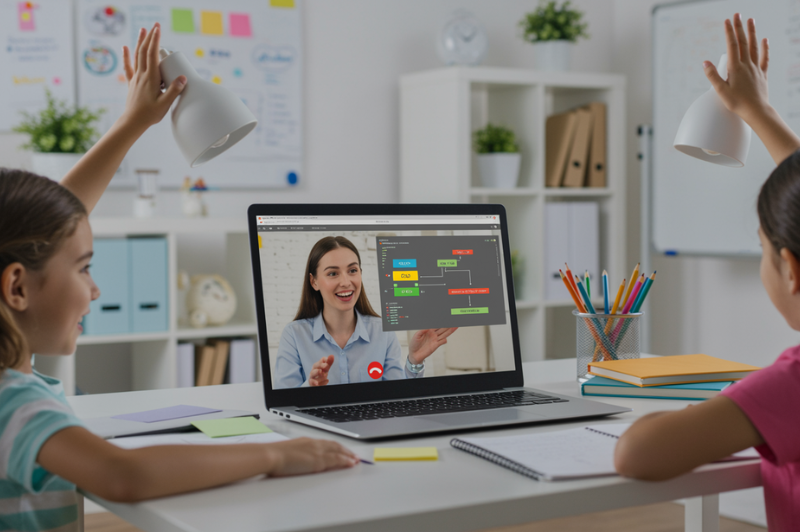
Coding can feel invisible to a child at first. They tap a screen, a character jumps, lights flash, music plays, and the whole thing looks automatic. The hard part is this: children see the result, yet they do not always see the instructions hiding underneath it, which is why basic coding concepts and basic programming concepts can feel difficult to explain early on.
A better explanation begins there. Coding is the hidden set of directions behind what happens on a screen. That idea is easier for children to grasp when it is tied to things they already know, like building a paper plane, following a treasure map, or giving directions across a room. Early computer science teaching materials for children follow that same pattern. They introduce instruction order, repetition, choice, and error-fixing through visible actions rather than dense theory.
This blog takes that route. It explains basic coding concepts and basic programming concepts in a way a child can picture, test, and understand without feeling buried under technical language.
What Are Basic Coding Concepts? (Simple Explanation for Kids)
Coding is the planning behind digital action. Every movement in a game, every response in an app, every change on a screen begins with instructions placed in a certain order. A computer follows those instructions exactly. It does not patch missing details, read intention, or fix vague wording on its own. That is why beginner lessons in computer coding for kids start with clear instructions before anything else.
Think of it like giving directions to a person who must follow every step exactly as spoken. Walk forward three steps. Turn left. Pick up the red book. Sit on the chair. If one step is missing, the result changes. If the order breaks, the task breaks. Children usually understand this much faster than a formal definition because they can picture the action in real time.
That is the real doorway into basic coding concepts. Coding is not an abstract machine skill from the start. It is a way of arranging actions with enough clarity that a computer can carry them out. Once a child sees coding as a chain of instructions, later ideas and coding languages feel less mysterious.
This also explains why early learning platforms use visible blocks, short commands, and immediate results. Young learners understand programming more easily when a tap triggers motion, a repeat command creates a pattern, or a wrong step produces a result they can spot and fix. Early childhood coding materials use event triggers, repeated actions, and simple sequences in exactly this way.
A child does not need a textbook explanation of basic programming concepts or an online course at this stage. They need a strong mental picture. Coding is what tells the computer what happens first, what happens next, and what happens if something changes.
Why Real-Life Examples Help Kids Understand Basic Programming Concepts
Children rarely struggle with the idea of instructions. They struggle with distance. A screen can feel far away from daily life, and abstract words make that distance wider. Early teaching resources for young learners handle this by using movement, maps, patterns, and classroom tasks before formal code appears. Elementary computer science lessons also introduce sequencing, loops, and events through hands-on activities instead of theory-heavy explanations.
Real-life examples give a child something solid to picture. A treasure map, a lunch routine, or a set of directions across a room creates instant clarity. The child can see the order, notice the repeat, and catch the mistake. That is far easier than decoding a technical explanation full of unfamiliar terms. Practical teaching discussions around beginner sequencing use chores, movement across a room, brushing teeth, and classroom directions for exactly this reason.
This approach also makes basic coding concepts feel less mysterious. A child begins to connect digital actions with everyday logic. Press here, something starts. Miss a step, something breaks. Repeat an action, and a pattern appears. That is the bridge into basic programming for kids without creating confusion in the first few minutes.
Explaining Sequence to Kids Through Simple Everyday Steps
Use daily routines to show what sequence means
Sequence is easiest to teach through actions a child already knows well. Getting dressed, planting a seed, packing a bag, or making a snack all work because each task follows an order. Beginner computer science lessons place sequencing early because it teaches children that instructions must be arranged, not scattered.
Show how a wrong order changes the result
Now break the order on purpose. Put shoes on before socks. Pour juice after drinking it. Ask the child what feels wrong. The answer appears quickly because the mistake is visible. That moment helps children understand that sequence is not decoration. It controls the result.
Help kids see why computers do not fill in missing steps
People can guess missing parts from context. Computers cannot. If an instruction is skipped, the program may stop, repeat the wrong action, or produce a strange outcome. Teaching the sequence early helps children understand why clear order sits at the center of beginner coding work.
How to Explain Loops to Kids Using Repetition
Start with actions kids already repeat every day
A loop is a repeated instruction. Children already understand repetition through ordinary actions. They tie each lace the same way, bounce a ball several times, or clap through a pattern in music. Early computer science lessons for young learners introduce loops through dance, rhythm, and movement because the pattern is easy to notice before any code appears on screen.
Show how loops save time in coding
Suppose a character has to hop forward six times. You can write that step six times in a row, though it soon starts to feel bulky. A loop gives the program a way to repeat the same move in a cleaner manner. That makes the idea of repetition easier for children to understand.
Use movement, music, or pattern games to make repetition visible
Ask a child to stomp twice, clap twice, then repeat the full pattern three times. Or draw a short route and ask them to follow the same turn pattern again. The repeat becomes visible. That gives basic coding concepts a physical form the child can track and remember.
Teaching Conditional Logic in Kid-Friendly Language
Use simple if-this-then-that examples from daily life
Conditional logic means a program checks a situation, then follows the matching rule. Children use this thinking every day. If the floor is wet, walk carefully. If the lunch box is empty, put it in the sink. Beginner lessons teach conditions through rule-based games because children can test the result right away.
Show how code makes choices based on rules
A game character may jump if a button is pressed. A quiz may move ahead if the answer is right. A light may turn on if a room gets dark. This is where basic programming concepts begin to feel real rather than abstract.
Keep the focus on decisions, not technical terms
Children do not need a dense vocabulary first. They need the simple idea that code can take different paths depending on what happens. Once that clicks, the formal term becomes easier to learn later.
Helping Kids Understand What Starts an Action in Code
Explain events as triggers that kids can see and feel
A child usually notices the movement on the screen first. A character jumps, a sound plays, or a light changes. What they may miss is the thing that started it. In beginner computer science lessons, an event is taught as the trigger that causes an action. Early classroom activities use a button press, a click, or a signal from a paper remote to make this idea easy to see.
Use taps, clicks, bumps, and messages as examples
This idea becomes clear when the example feels physical. Tap the picture, and it moves. Click the button, and the music starts. One object touches another, and the program reacts. Official beginner materials use these trigger-and-response patterns because children can connect the start point with the result almost at once. That direct link helps basic coding concepts feel less hidden and far less confusing.
Show why actions on screen do not happen by accident
Many children think screen actions happen by themselves. This section helps break that idea. A program waits for something to happen, then follows the matching instruction. Once a child understands that an action needs a trigger, digital behavior starts to feel logical rather than mysterious.
The Best Ways to Teach Basic Programming Concepts Without Making Them Feel Technical
Turn your child into the programmer and yourself into the robot
Ask your child to guide you across a room using exact steps. If a direction is unclear, stop immediately. Unplugged computer science lessons use this method because it makes precision visible and helps children see why instructions must be clear.
Use floor grids, arrows, and paper challenges
A drawn path, a few arrows, and a simple start-to-finish task can teach order, repetition, and correction. Early coding activities for children use grid paths and movement challenges because the logic is easy to track with the eyes.
Keep each explanation short, visual, and active
Young learners absorb coding ideas better through brief tasks with a visible result than long verbal explanations.
How to Explain Debugging to Kids Without Frustration
Define debugging as finding and fixing a problem
Debugging is easier to teach when it feels like puzzle-solving rather than correction. Elementary teaching materials describe debugging as looking for clues, checking what the program did, and fixing the step that caused the problem. That framing works well for children because it turns a mistake into something they can investigate.
Show kids how to check which step went wrong
A child does not need a long method here. Ask what the program was meant to do. Run it. Watch what it does instead. Then look at the steps one by one. Official teaching prompts for debugging follow this same pattern because it gives children a simple routine they can repeat.
Treat mistakes as clues, not failure
This shift changes the whole experience. When a child sees a wrong result as a clue, frustration drops, and attention returns to the task. Unplugged coding guides and classroom lesson plans both treat error-finding as part of learning, not as proof that the child got coding wrong.
From Everyday Thinking to Early Coding Skills
Children do not need a technical start to understand coding. They need examples they can picture, test, and talk through. A routine, a pattern, a simple choice, or a mistake they can fix gives coding a real shape in their mind.
The most useful next step is simple. Pick one idea, try it through a short activity, and let your child explain what happened in their own words. That small shift builds clarity far better than a long explanation ever will.
If your child enjoys learning this way, BrightCHAMPS can be a helpful next step. Its guided coding classes for kids give children a structured place to turn early curiosity into practical learning, one clear concept at a time.
FAQs
Q1. What are basic coding concepts?
Basic coding concepts are the first building blocks of coding, like order, repetition, choices, triggers, and fixing mistakes. They help children understand how instructions make something happen on screen.
Q2. What are basic programming concepts for beginners?
For beginners, basic programming concepts usually mean learning step order, repeating actions, making simple choices, spotting mistakes, and understanding triggers. These ideas help new learners follow and test code.Q3. Why should kids learn basic coding concepts?
Kids should learn basic coding concepts because they start noticing how digital tools actually work. That builds logic, patience, and problem-solving, and it makes screen-based actions feel less confusing.Q4. What is the easiest way to teach basic programming concepts?
Teaching basic programming concepts is most effective when using simple, real-world activities. Giving instructions, repeating actions, and fixing errors in simple games helps children learn coding in a way that reduces stress.PakarPBN
A Private Blog Network (PBN) is a collection of websites that are controlled by a single individual or organization and used primarily to build backlinks to a “money site” in order to influence its ranking in search engines such as Google. The core idea behind a PBN is based on the importance of backlinks in Google’s ranking algorithm. Since Google views backlinks as signals of authority and trust, some website owners attempt to artificially create these signals through a controlled network of sites. In a typical PBN setup, the owner acquires expired or aged domains that already have existing authority, backlinks, and history. These domains are rebuilt with new content and hosted separately, often using different IP addresses, hosting providers, themes, and ownership details to make them appear unrelated. Within the content published on these sites, links are strategically placed that point to the main website the owner wants to rank higher. By doing this, the owner attempts to pass link equity (also known as “link juice”) from the PBN sites to the target website. The purpose of a PBN is to give the impression that the target website is naturally earning links from multiple independent sources. If done effectively, this can temporarily improve keyword rankings, increase organic visibility, and drive more traffic from search results.
Jasa Backlink
Download Anime Batch